What is Pre-Med LogBooks?
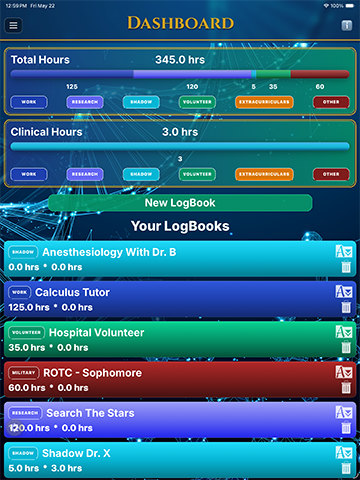
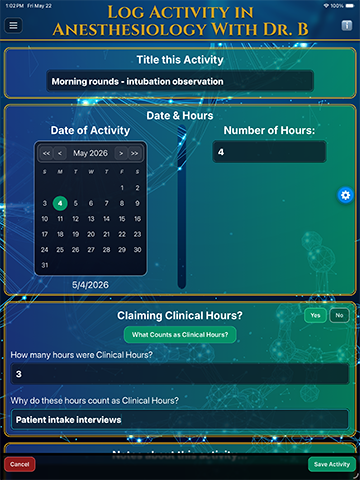
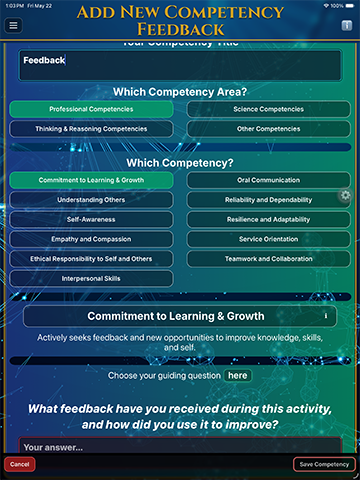
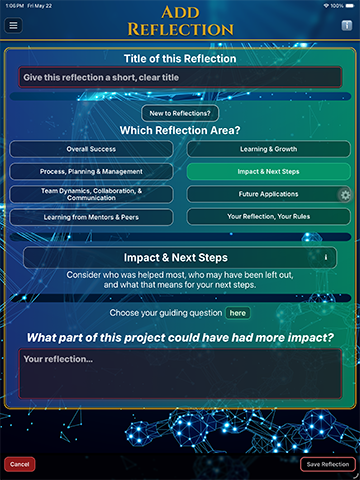
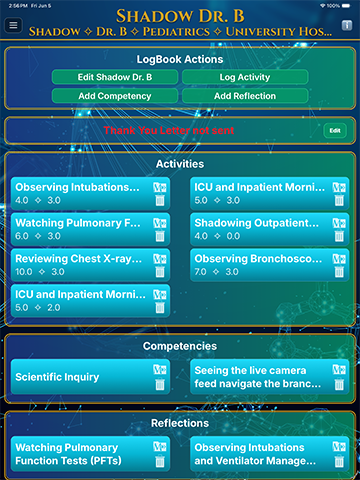
A competency-based recordkeeping app for pre-med students. Track clinical and total hours, capture meaningful details while they’re fresh, connect experiences to AAMC-defined competencies, and keep activities, awards, and thank-you notes in one organized record. It’s not a notes app, a journal, or a simple hours tracker.
Who is it for?
Pre-med students already building clinical, service, research, shadowing, work, or leadership experiences who want an organized, private record — not coaching, advising, or social features. Gap-year applicants organizing a larger body of past experiences fit especially well.
What does “AAMC-defined competencies” mean?
The AAMC defines a set of competencies associated with readiness for medical school and the practice of medicine. Pre-Med LogBooks lets you connect each activity to a relevant competency, so your record shows not just what you did, but what it demonstrates.
Why doesn’t Pre-Med LogBooks track grades or GPA?
Pre-Med LogBooks does not track GPA because academic metrics are calculated differently across colleges, application services, and medical schools. The app is built for the part of the application that numbers alone cannot capture clearly: meaningful experiences, clinical exposure, growth, competencies, reflection, and readiness for medicine.
What devices does it work on?
Pre-Med LogBooks is available for iPhone and iPad on the App Store, and for Android phones and tablets on Google Play.
Is my data private? Where is it stored?
Your records are stored locally on your device, not on our servers — we don’t operate any. They are never sold or used for advertising. If you sync between your own devices, the data travels directly between them over your local network, encrypted. If you enable device-managed backups like iCloud, your operating system may include app data in those backups.
Does the app or website track me?
No. The app has no ads and no ad tracking, and uses no behavioral analytics. This website uses no cookies and no tracking, either.
How does the free trial and subscription work?
You start with a 7-day free trial. After that, continue with a monthly or annual subscription — one subscription unlocks the complete app, with no upcharges. Pricing and terms are shown before you subscribe and may vary by region.
How do I cancel or manage my subscription?
Subscriptions are managed through the store you bought from. On iPhone or iPad, open your App Store subscription settings. On Android, open Google Play subscriptions. Cancellation takes effect at the end of the current billing period.
Can I export or back up my records?
Yes. Backup creates an encrypted file you can restore into the app later. Export CSV creates a readable spreadsheet you can open anywhere, but it cannot be imported back. We recommend making a Backup at the end of every term and keeping a copy outside the app.
What happens to my data if I cancel or delete the app?
Because your data is stored locally, deleting the app removes its data from your device. There’s no account and no server-side copy. Make a Backup first if you want to keep one.